Powered by Steve // Windows application GameLoopFix. Understand your system. Configure your emulator. Keep your gaming tools in one place.
Version 1.2.10 Windows 10 / 11 · x64 Installer RAR · 172.90 MiB
Extract the RAR to access the Windows setup application.
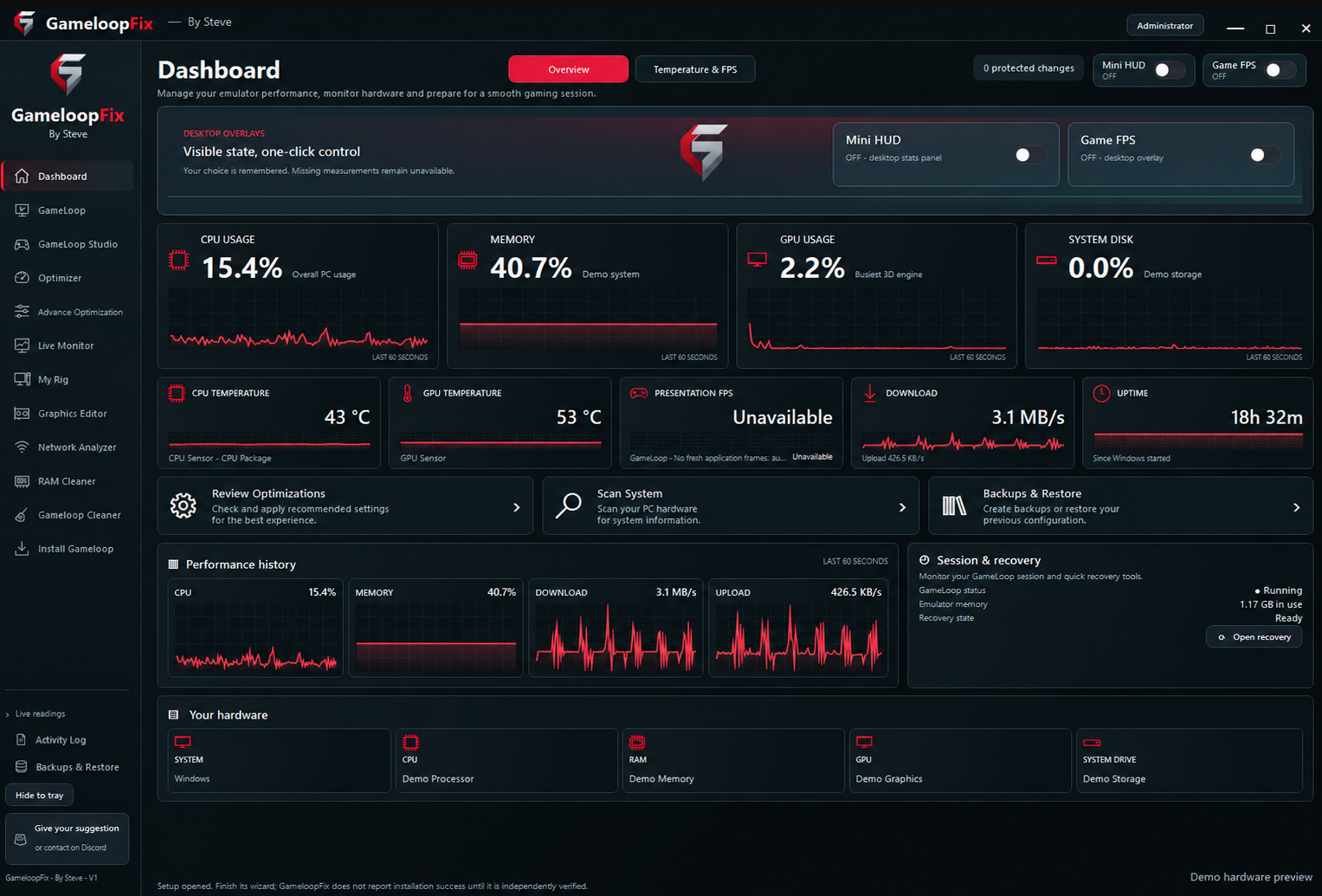
GameLoop Fix · Powered by Steve · Application dashboard Contact Steve · Discord or email GameLoop Fix dashboard with demo hardware details · Powered by Steve View full image ↗ 01 See your session clearly
Your system. Keep your CPU, memory, GPU and temperatures in view, with performance history and optional desktop overlays in one dashboard.
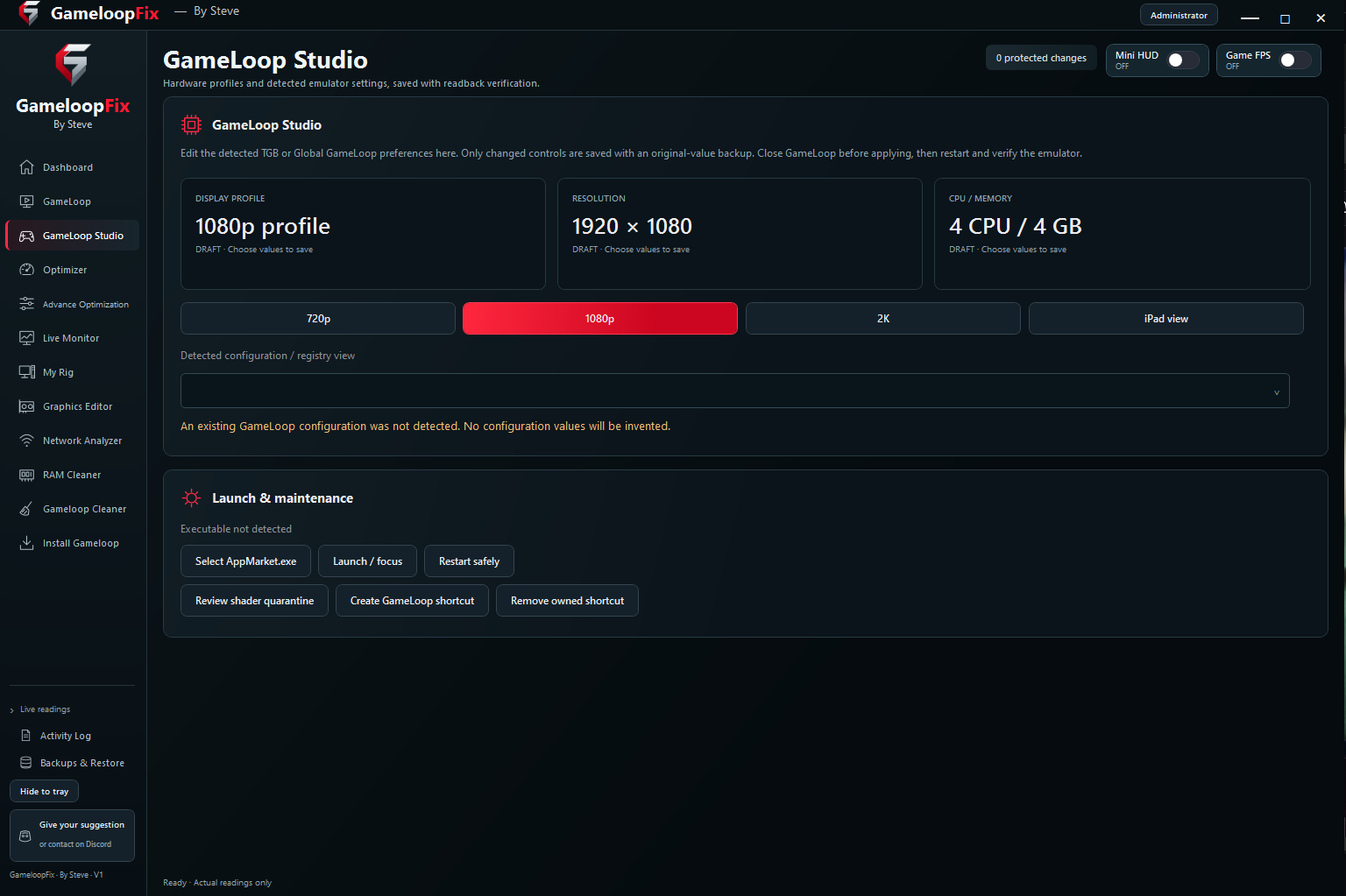
Performance history in one workspace Mini HUD and Game FPS controls Hardware overview and session recovery Explore Dashboard ↗ GameLoop Studio display profiles and launch controls · Powered by Steve View full image ↗ 02 Build your emulator setup
Your emulator. Bring supported GameLoop display profiles, resolution, CPU and memory choices together. Review detected settings and manage launch controls from GameLoop Studio.
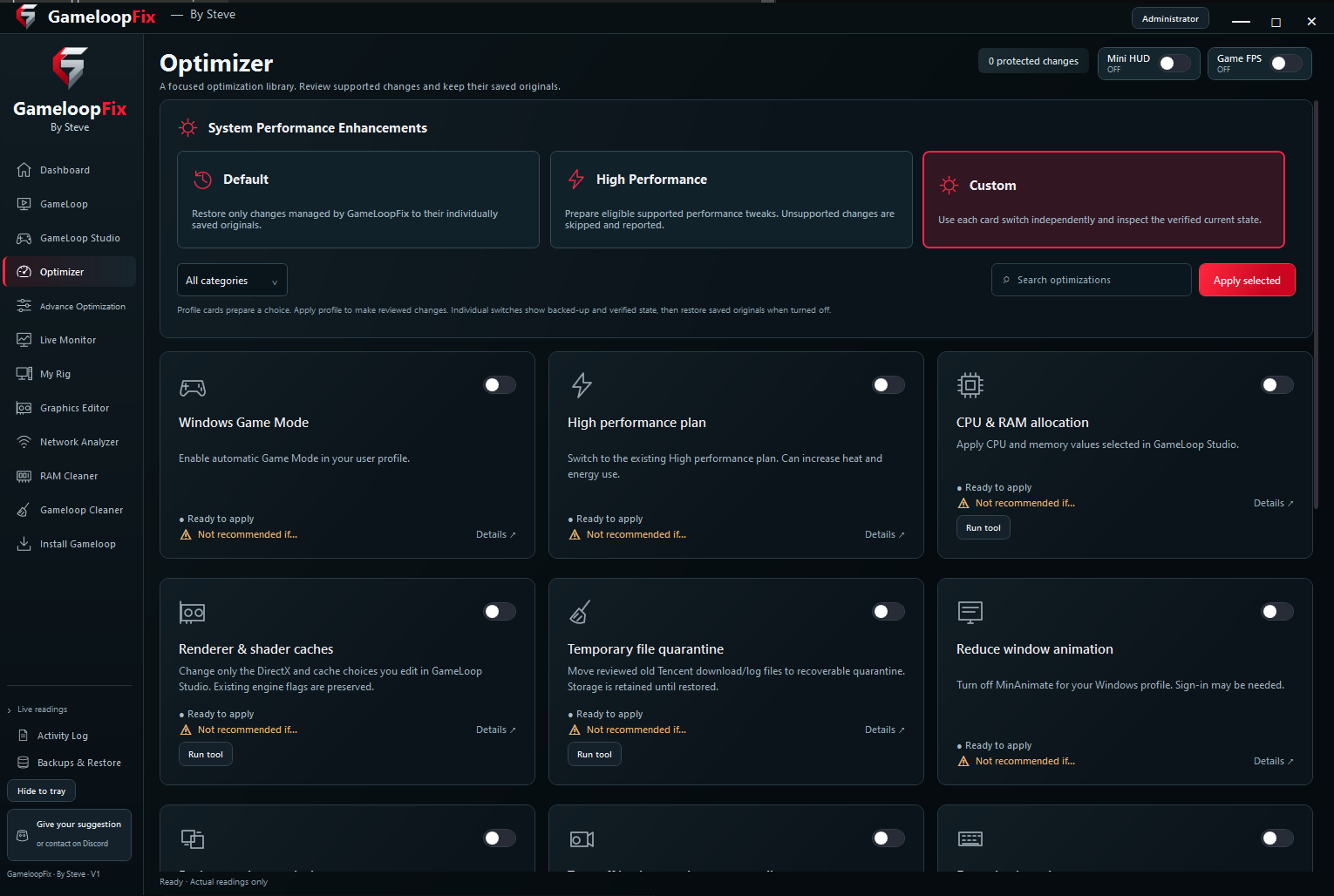
Display profiles and resolution choices Detected configuration and readback Launch, restart and shortcut controls Explore GameLoop Studio ↗ GameLoop Fix Optimizer profiles and individual settings · Powered by Steve View full image ↗ 03 Choose what you change
A focused approach. Review Default, High Performance and Custom profiles, then explore individual changes with their descriptions and current state.
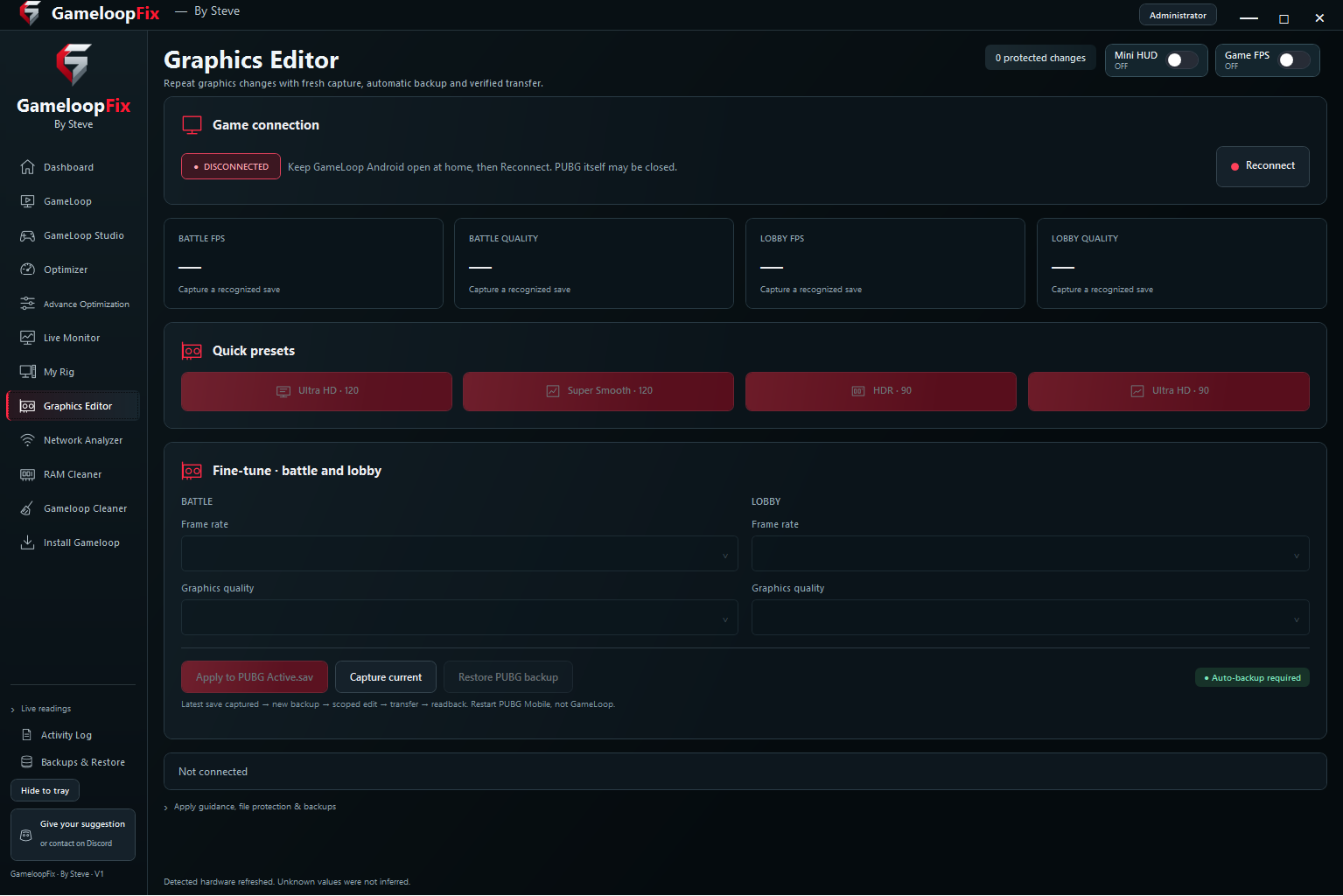
Searchable optimization library Individual changes and profile choices Saved originals for app-managed restore Explore Optimizer ↗ GameLoop Fix Graphics Editor battle and lobby settings · Powered by Steve View full image ↗ 04 Fine-tune your game
Battle and lobby. Capture supported PUBG graphics settings, review available presets and adjust battle and lobby options with backup and transfer checks.
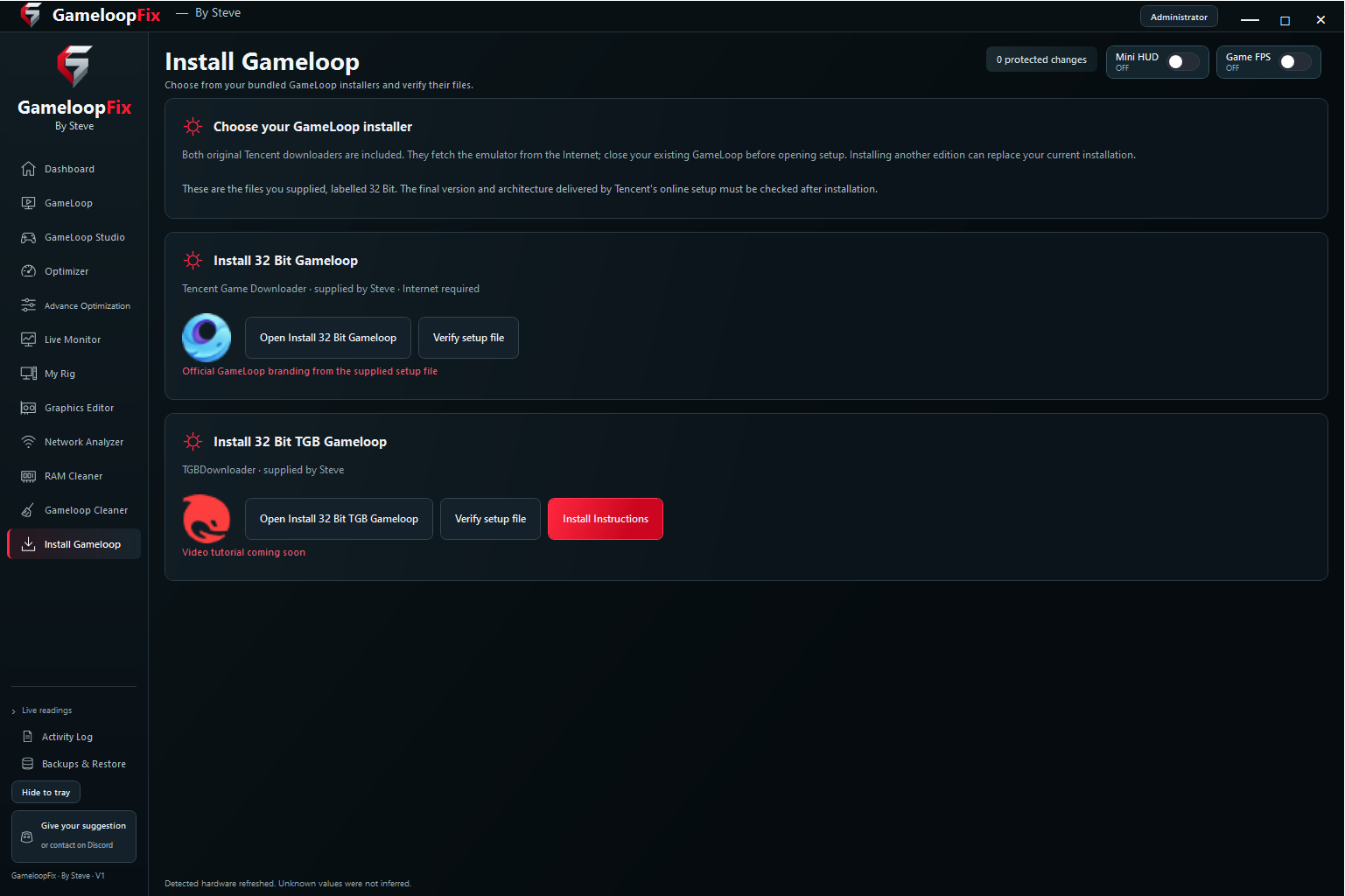
Separate battle and lobby settings Capture current configuration Backup and restore controls Explore Graphics Editor ↗ GameLoop Fix bundled GameLoop installer options · Powered by Steve View full image ↗ 05 Prepare your next installation
Your GameLoop setup. Access the supplied Tencent downloader options, inspect setup-file verification and follow the installation guidance inside the application.
GameLoop and TGB downloader options Setup-file verification controls Installation instructions in the app Explore installation ↗ One application. Your workflow. A closer look at your setup. From the first system check to reviewing your changes, find the controls and measured information you need.
Monitor Dashboard & overlays Keep CPU, RAM, temperature and measured FPS readings in view, with history graphs and desktop overlays.
Explore this feature → Configure GameLoop management Find supported TGB and Global installations, review emulator details and launch your gaming session.
Explore this feature → Configure GameLoop Studio Bring CPU, RAM, resolution, DPI, device profiles, rendering preferences and supported joystick settings together.
Explore this feature → Optimize Optimizer profiles Choose Default, High Performance or Custom profiles and review the Windows changes you want to apply.
Explore this feature → Optimize Advance Optimization Explore 101 supplied optimization files across 13 categories, with search, descriptions and individual Apply controls.
Explore this feature → Configure PUBG Graphics Editor Capture and edit supported Battle and Lobby graphics and FPS configuration choices.
Explore this feature → Monitor Live Monitor Record a performance session, compare it with a saved baseline and export measured samples to CSV.
Explore this feature → Diagnose Network Analyzer Use connection monitoring, ping diagnostics and measured DNS comparisons to understand your connection.
Explore this feature → Optimize RAM Cleaner Trim the working sets of selected background applications while keeping those apps open.
Explore this feature → Monitor My Rig See detected CPU, GPU, memory, storage, motherboard, firmware, Windows and network hardware information.
Explore this feature → Maintain GameLoop Cleaner Access process-close controls and supplied original cleaner scripts for emulator maintenance.
Explore this feature → Maintain Install GameLoop Access bundled Tencent downloader options and setup-file verification before installing the emulator.
Explore this feature → Maintain Backups & Restore Review saved original values and restore changes managed by the app.
Explore this feature → Diagnose Activity Log & feedback Search local actions and results, export useful records and give a reproducible bug report.
Explore this feature → Getting started Download. Review. Configure. Install on Windows Check your environment Make considered changes Optimization settings and FPS presets do not guarantee higher FPS or lower ping. Cleaner scripts can delete data; app-managed restore does not cover every supplied script.
Current download GameLoop Fix 1.2.10
System Windows 10 / 11 · x64
Package Installer RAR · 172.90 MiB
File GameLoopFix_Setup_v1.2.10.rar
Digital signature Installer is not digitally signed SHA-256 · RAR archive
c300803d4c6853c475d00814eb4a4b2b3c30c99ea692f660eff56f660fb2a692
Only the supplied installer package is available. A portable edition is not included in this release download.